
Umbofleet comes with a standard daily check for each kind of vehicle. You can change any of them to match how you work.
Open a checksheet
Go to Checksheets (head office only) and choose the checksheet to change: Vans and cars, HGVs, Trailers or Buses and coaches.
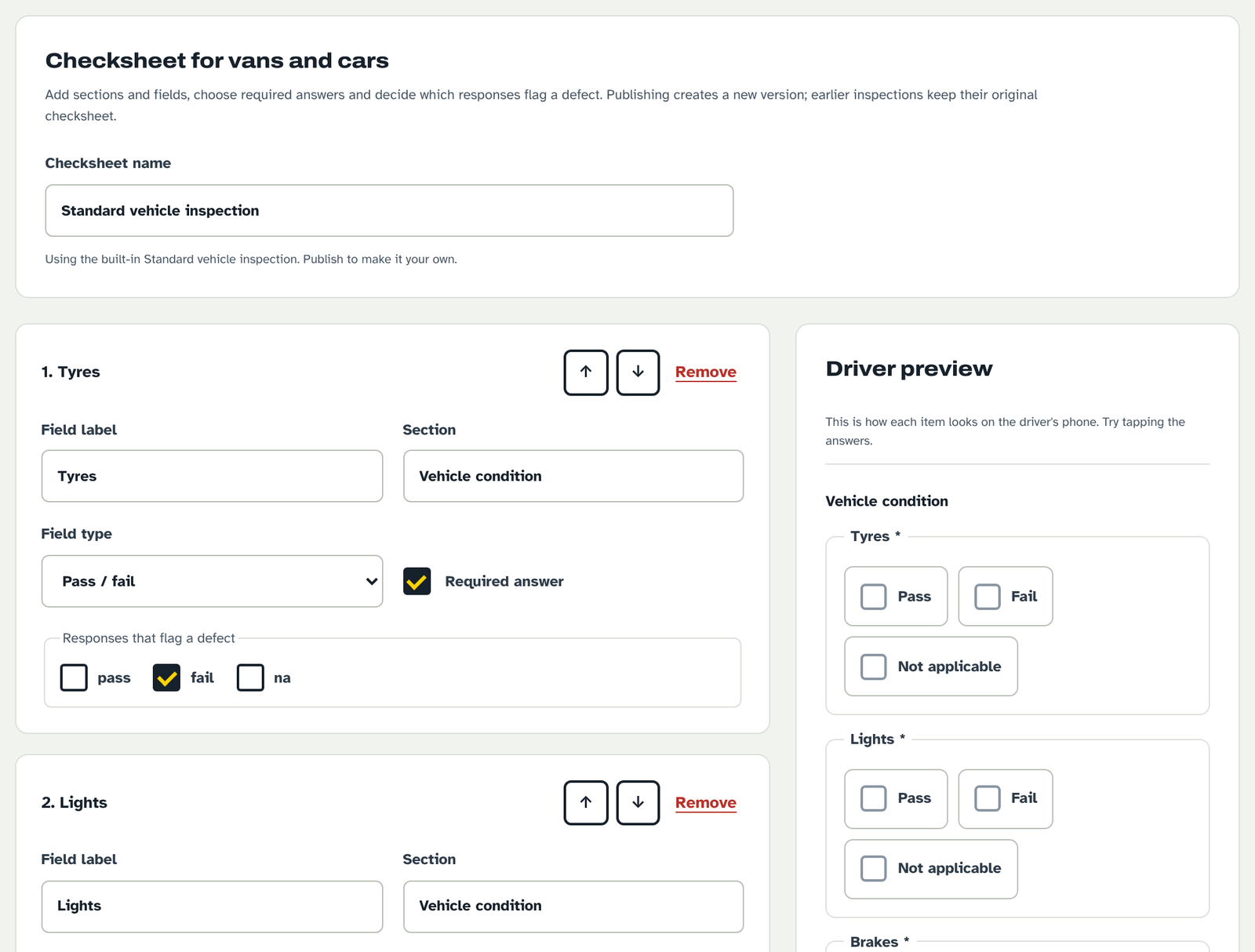
Change the items
For each item you can set:
- Field label: what the driver sees, such as “Lights and indicators”.
- Section: the heading it sits under, such as “Vehicle condition”.
- Field type: Pass / fail, Yes / no, Text, Number, Dropdown or Photo.
- Required answer: whether the driver must answer it.
- Which responses flag a defect: usually “fail”, but you choose.
Use + Add field to add an item, the arrows to move it up or down, and Remove to take it out. The Driver preview shows exactly what drivers will see.
Publish it
Choose Publish checksheet. Drivers get the new version on their next check. Every published version is kept, and earlier inspections keep the checksheet they were done on, so your records always show exactly what was asked.