
Keep every date that matters in one place, and see what’s coming up before it’s overdue.
Dates you can record
- Vehicles: MOT or annual test, road tax, service, insurance renewal, safety inspection (PMI), tachograph calibration and LOLER inspection.
- Drivers: licence expiry, last and next licence check, Driver CPC expiry and tacho card expiry.
Add them when you add a vehicle or driver, on the Key dates tab of their card, or in an import.
See what’s due
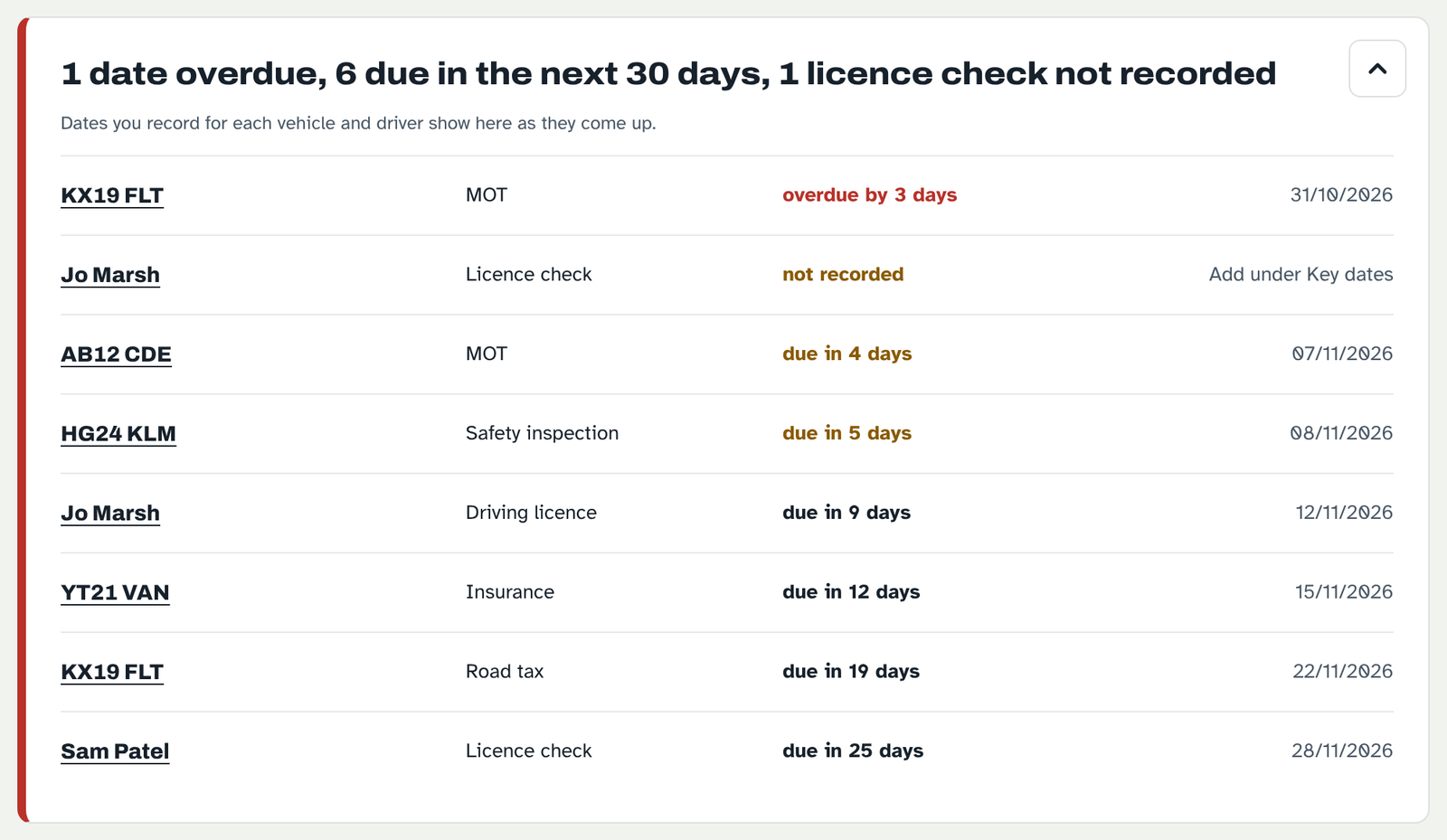
The Fleet overview lists everything overdue or due soon, soonest first, and drivers with no licence check recorded. Choose a name to go straight to that vehicle or driver. Cards show the same dates as coloured chips, and the Overview item in the menu shows how many are due within a week.
Change how far ahead you look
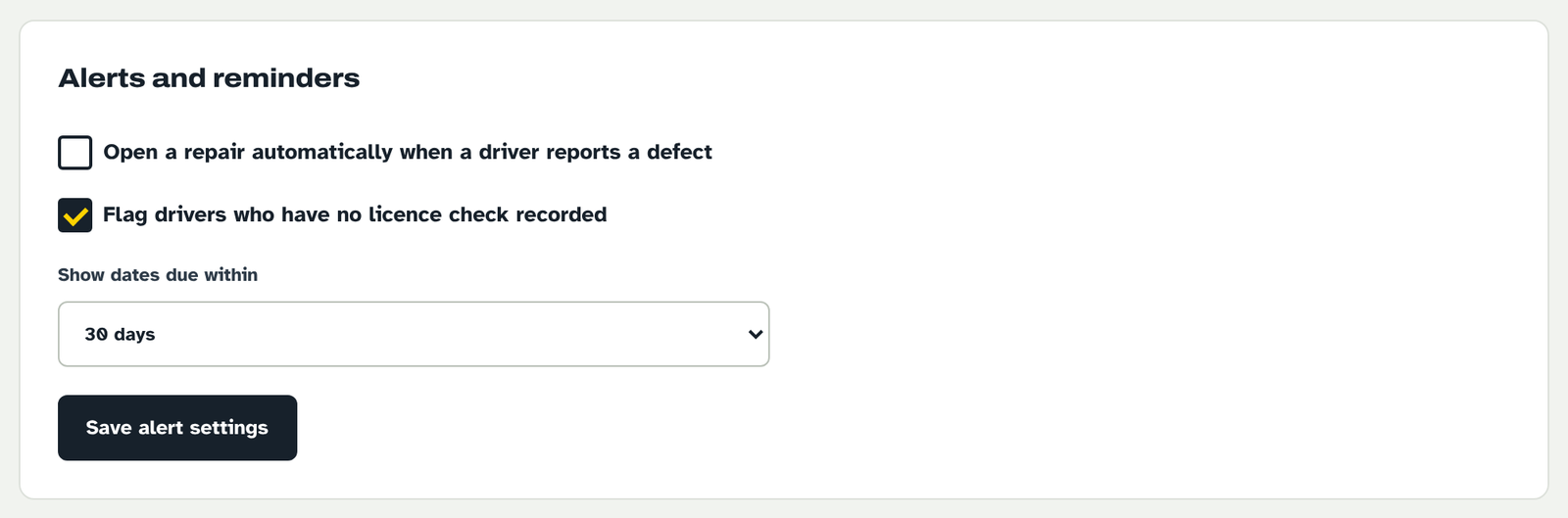
Go to Company settings and, under Alerts and reminders, set Show dates due within to 14, 30 or 60 days, then Save alert settings. You can also turn off Flag drivers who have no licence check recorded here.
With Umbofleet Plus, managers get an email when a date is 30, 14, 7 and 1 day away and when it goes overdue, and MOT and road tax dates are kept up to date from DVSA and DVLA records every week.